For passengersComing soon
Know your ride before you leave home.
Search buses and coaches stop to stop, choose your seats, reserve and pay on board, then watch your ride come to you.
Find
The right bus, at a glance.
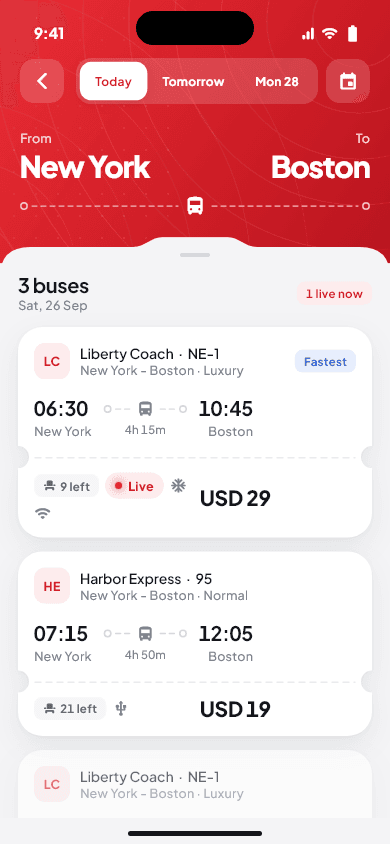
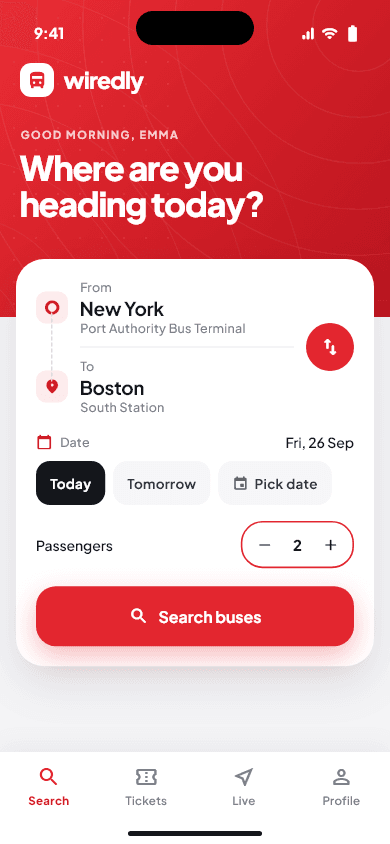
Type the stop you are leaving from and the stop you are going to. Wiredly shows the buses and coaches that run between them.
- Stop names appear as you type.
- Today, tomorrow or any day up to 30 days ahead, in local time.
- Departure and arrival times, journey time, fare and seats left.
- Service class and amenities such as air conditioning, Wi-Fi and USB charging.
- “Fastest” and “Cheapest” labels, and a “Live” label when the bus is sharing its location.
- If a bus can’t be booked online, it says why: already on the road, fare not published or full.
Seats
Your seat, not just a ticket.
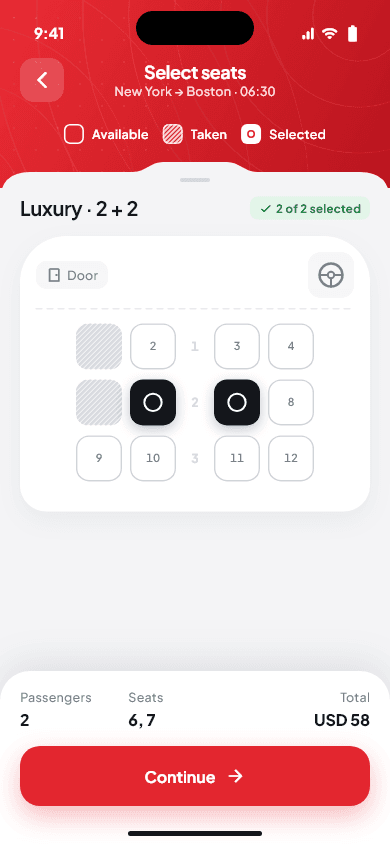
Pick exactly where you sit on the bus’s own seat map.
- Book 1 to 6 seats at a time.
- Taken seats are hatched, so they are clear without relying on colour.
- Your seats are held for 10 minutes while you finish, with a countdown.
- The seat list is checked with the server, so two people can’t book the same seat.
Reserve
Reserve now. Pay on board.
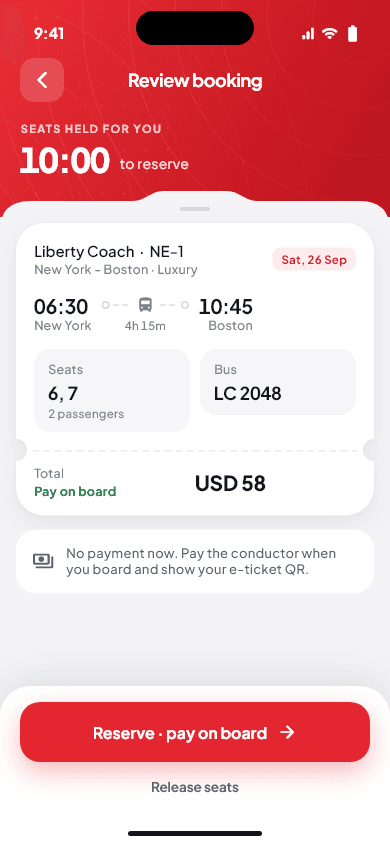
No card, no wallet top-up. You reserve in the app and pay the crew when you get on.
- Before your first booking, you verify your mobile number once with your OneVault account.
- You see the fare to pay before you reserve.
- Changed your plans? Cancel before departure and the seats go back on sale.
Coming soonPaying online in the app.
E-ticket
A ticket the crew can trust.
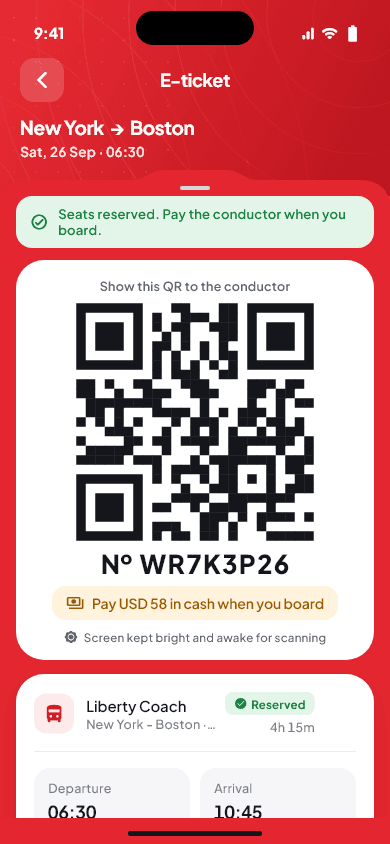
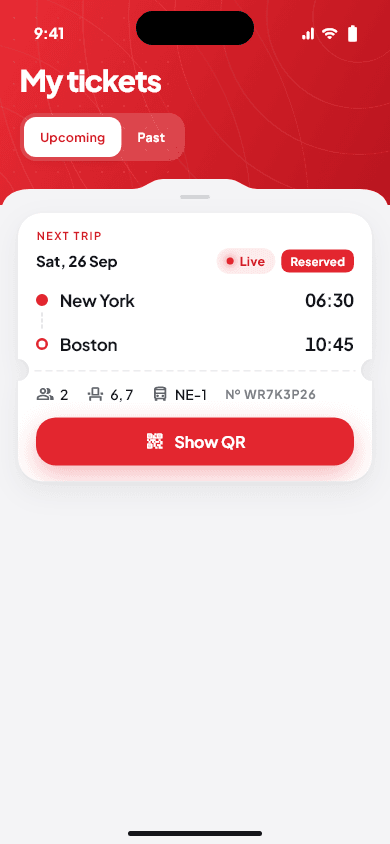
Every booking gets an e-ticket with an 8-character reference and a QR code.
- The QR code is signed by Wiredly, so it can’t be copied into a fake ticket.
- The crew scans it, or types the reference if the camera can’t read it.
- A ticket can be used to board only once.
- All your upcoming and past trips are in My tickets.
Live bus
Watch your ride come to you.
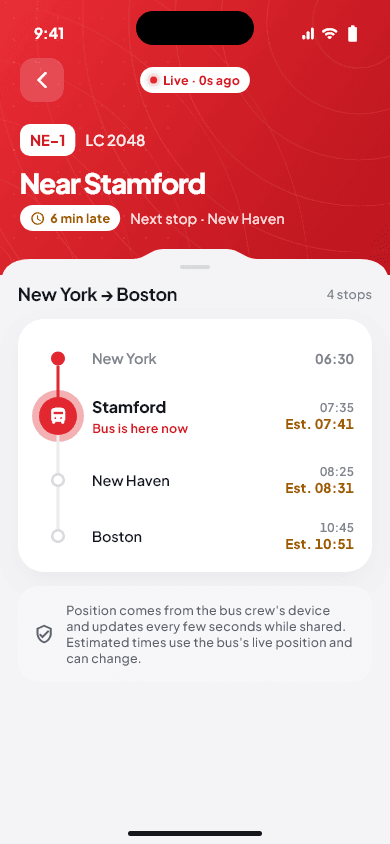
When the operator shares the trip, you can follow your bus or coach on its route.
- The stop the vehicle is near now and the next stop.
- “On time”, or how many minutes late or early it is.
- Estimated arrival at each stop, clearly marked as an estimate.
- If the signal from the vehicle drops, the app says so instead of showing an old position.
The position comes from the crew’s phone on board, only while the trip is shared. Wiredly does not need your location to show it.
Made for real life
Small screens, weak signal, many languages.
Tickets work offline
Your ticket list is saved on your phone, encrypted. No signal at the bus stand? Your QR code still opens.
Your language
Pick your language in the app. Times follow the local clock and fares are shown in the local currency.
Built for every phone
Every screen is checked on a narrow phone with large text, so nothing is cut off.
Getting started
What you’ll need.
- An Android phone at launch. The iPhone app will follow.
- A Wiredly account to sign in.
- A mobile number in the country you travel in, confirmed once when you first book.
- Coming soon toGoogle Play
- Coming later toApp Store
Not in the stores yet. Email us to hear when it launches.
On the way
These are planned and not in the app yet.
- Paying online
- The iPhone app
- Notifications about your booking
- Sending a ticket to a fellow traveller’s phone (sharing your trip already works)
- School, staff and private shuttles, and Wiredly for families
Questions
Passengers ask.
How do I book a bus seat with Wiredly?
Search from one stop to another, choose a bus, pick 1 to 6 seats on the seat map and tap “Reserve · pay on board”. You get an e-ticket with a QR code. Step by step: how to book a seat.
Do I pay in the app?
Not yet. You reserve your seat in the app and pay the crew when you board. Online payment is planned for later.
Does my e-ticket work without internet?
Yes. Your tickets are saved on your phone, encrypted, so the QR code opens even with no signal.
Why can’t I see my bus live?
A bus is shown live only while its crew is tracking the trip and the operator has switched on sharing. If the signal drops, the app tells you instead of showing an old position. See how to follow your bus live.
Is Wiredly free for passengers?
Finding buses, booking seats, your e-ticket and live tracking are planned to be free at launch; you pay your fare on board. See passenger pricing.