For bus, coach and shuttle operatorsComing soon
Run your fleet like a modern network.
Publish timetables and fares, take seat bookings, give your crews a ticket app that works offline and see every trip. On the phone and on the web.
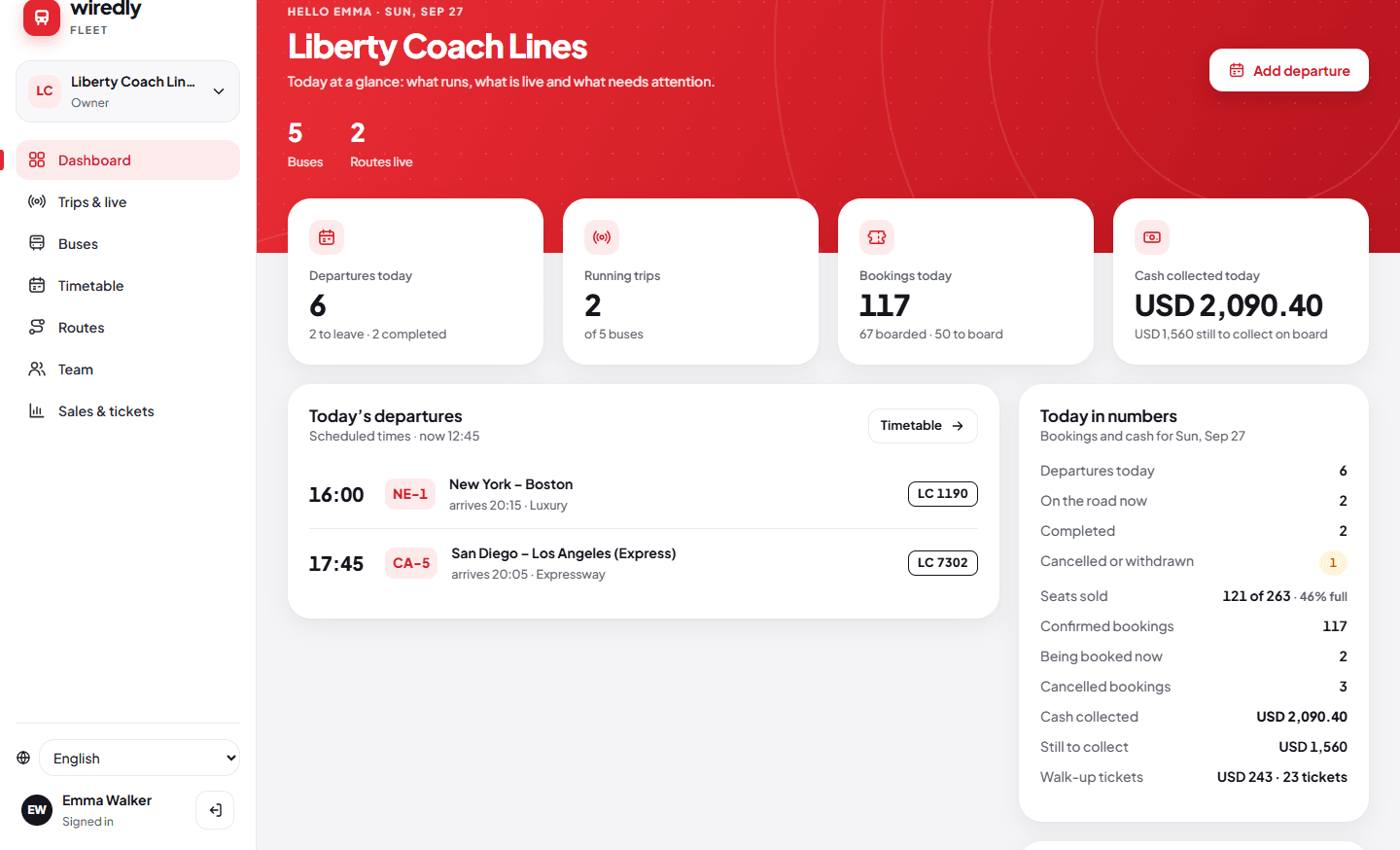
Three tools, one system
Everyone in your company, connected.
Wiredly Fleet app
For owners and managers on the move: timetables, vehicles, crew phones and trip sharing. Android first.
Fleet web portal
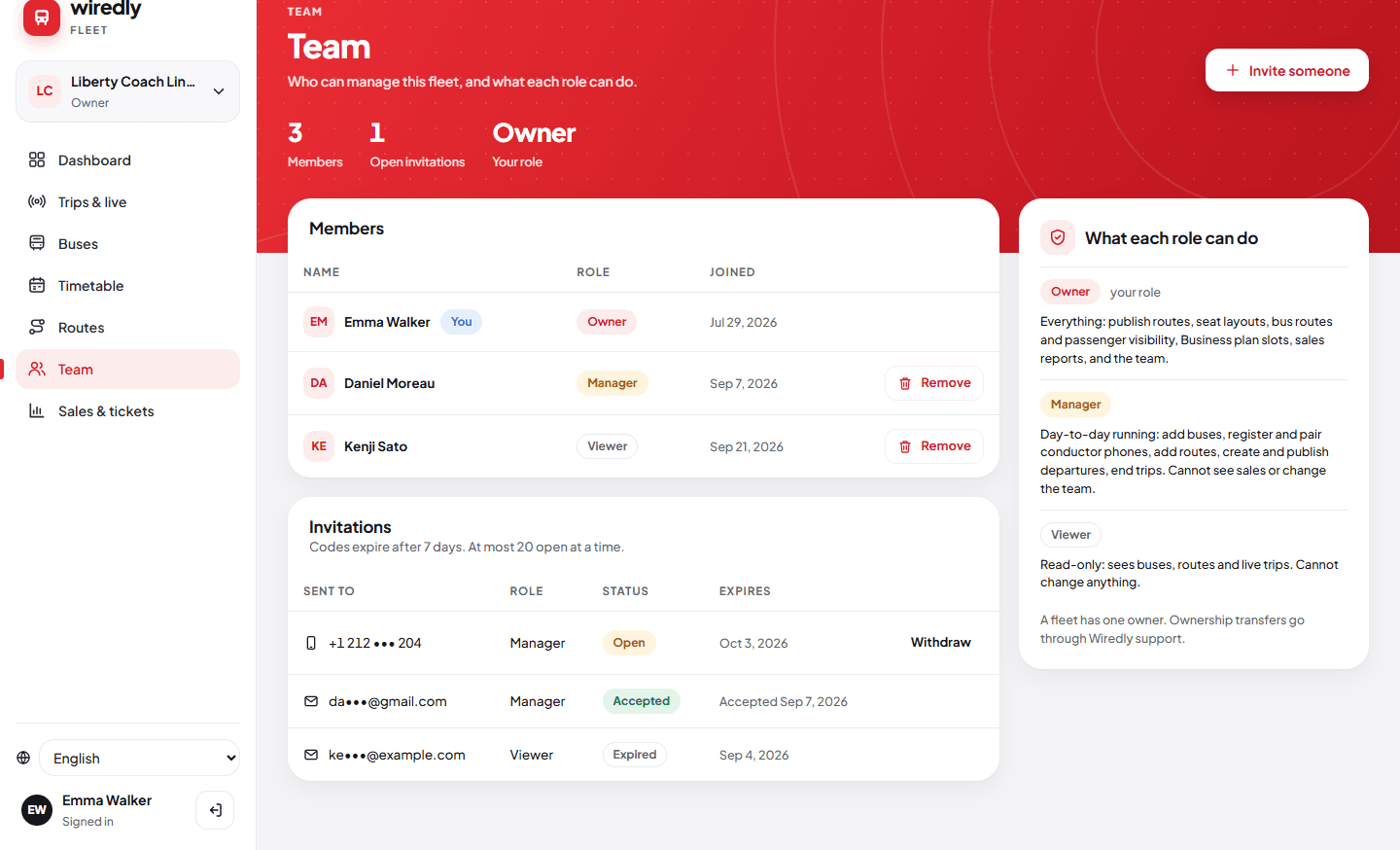
The same fleet on a big screen at fleet.wiredly.app: weekly timetable, seat layouts, team and live trips.
Wiredly Operator
The crew’s app on board: today’s departures, live location, ticket checks and fares collected. Android.
Timetables and fares
Publish a timetable in three steps.
Start from a shared route list where one exists, or create your own route, then add departure times.
- Route and time: days, start and end dates, bus, class and amenities.
- Stop times: filled in from the reference route when it matches, with quick +5 / +10 minute buttons.
- Fares: a full-route fare plus shorter trips. Suggested prices are only used after you check them.
- New departures stay drafts until you publish them.
- Changing times or days is safe: the app warns you before a change would touch passengers who already booked.
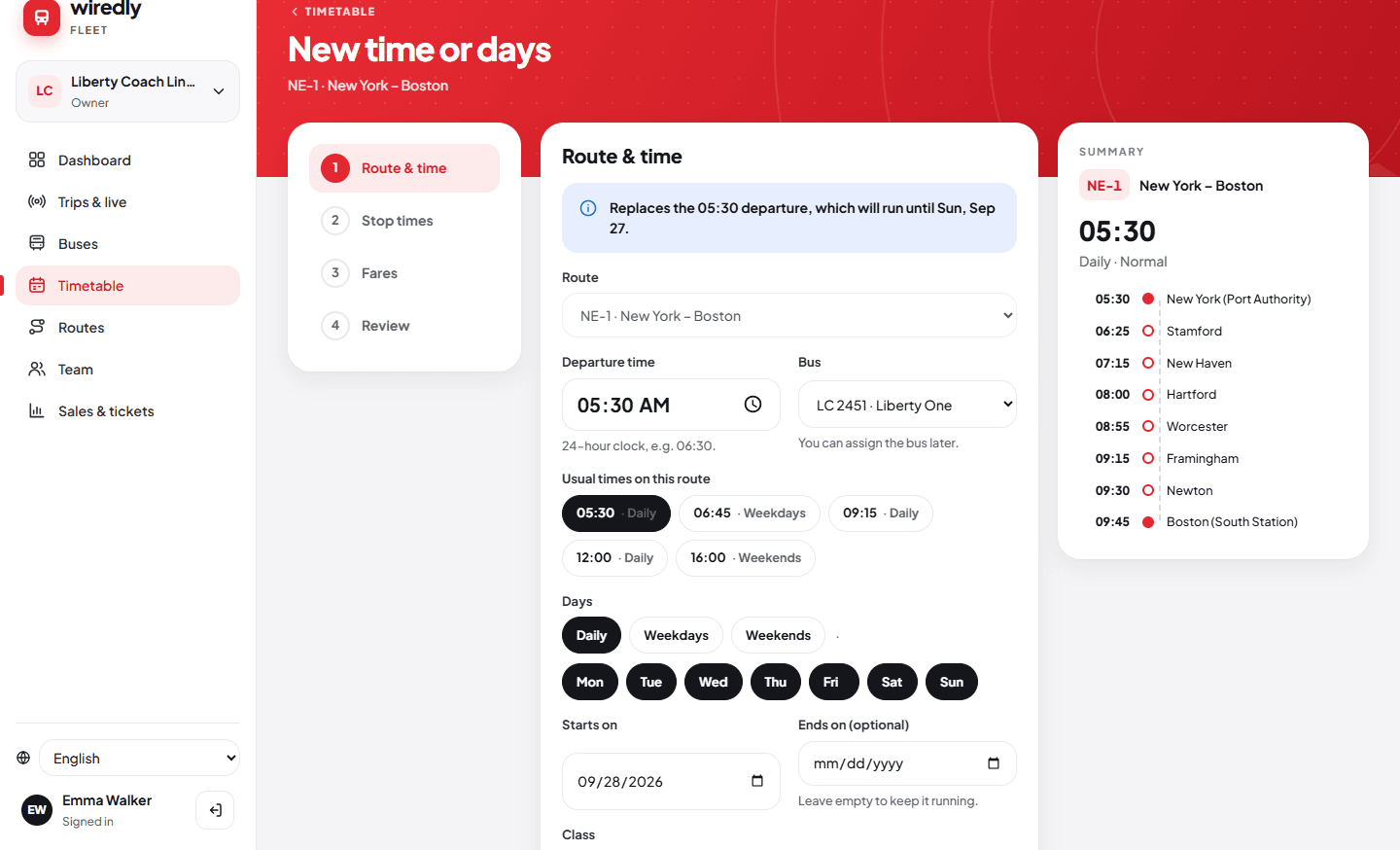
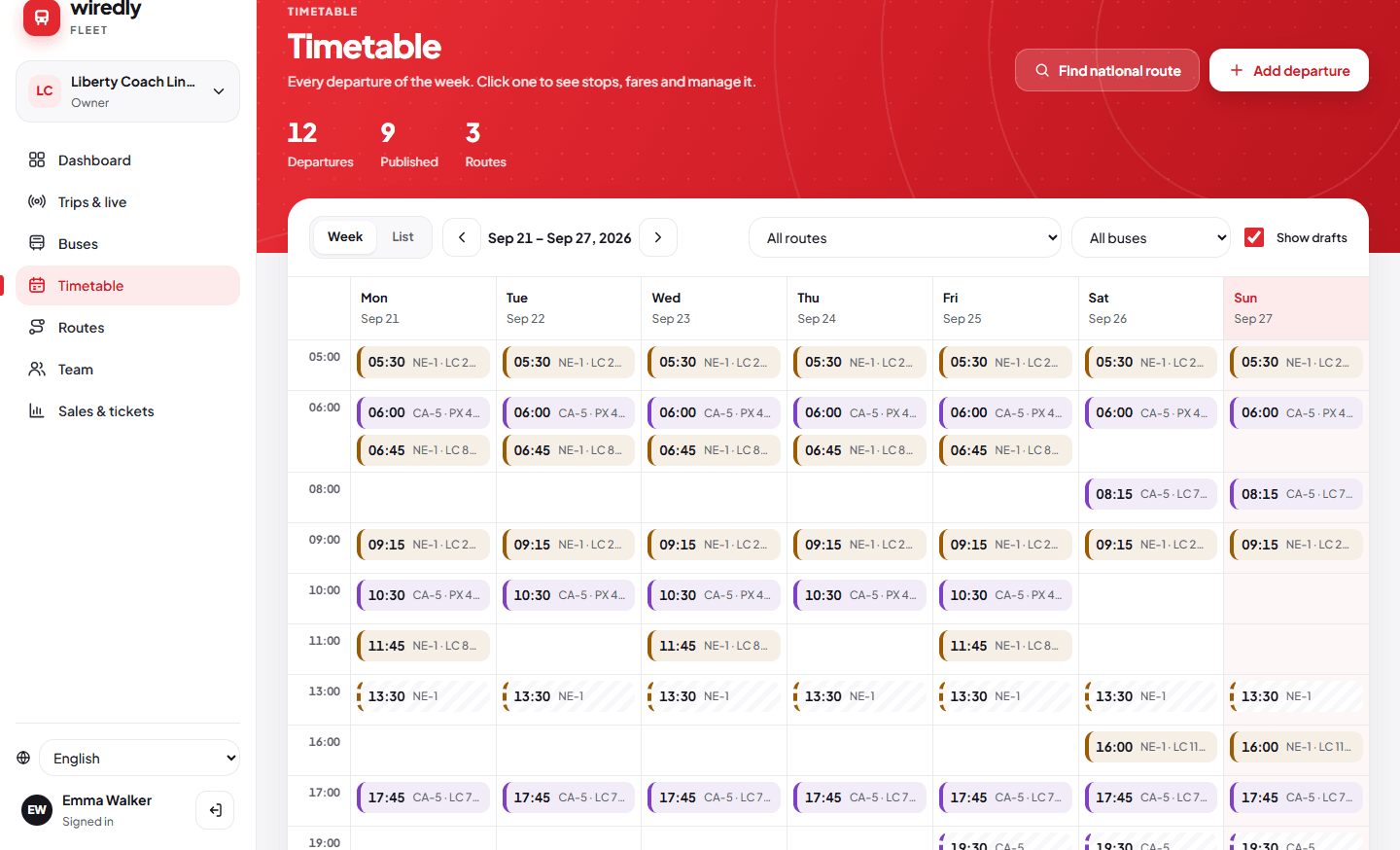
Wiredly Fleet web portal with sample data.
Seat bookings
Every seat counted once.
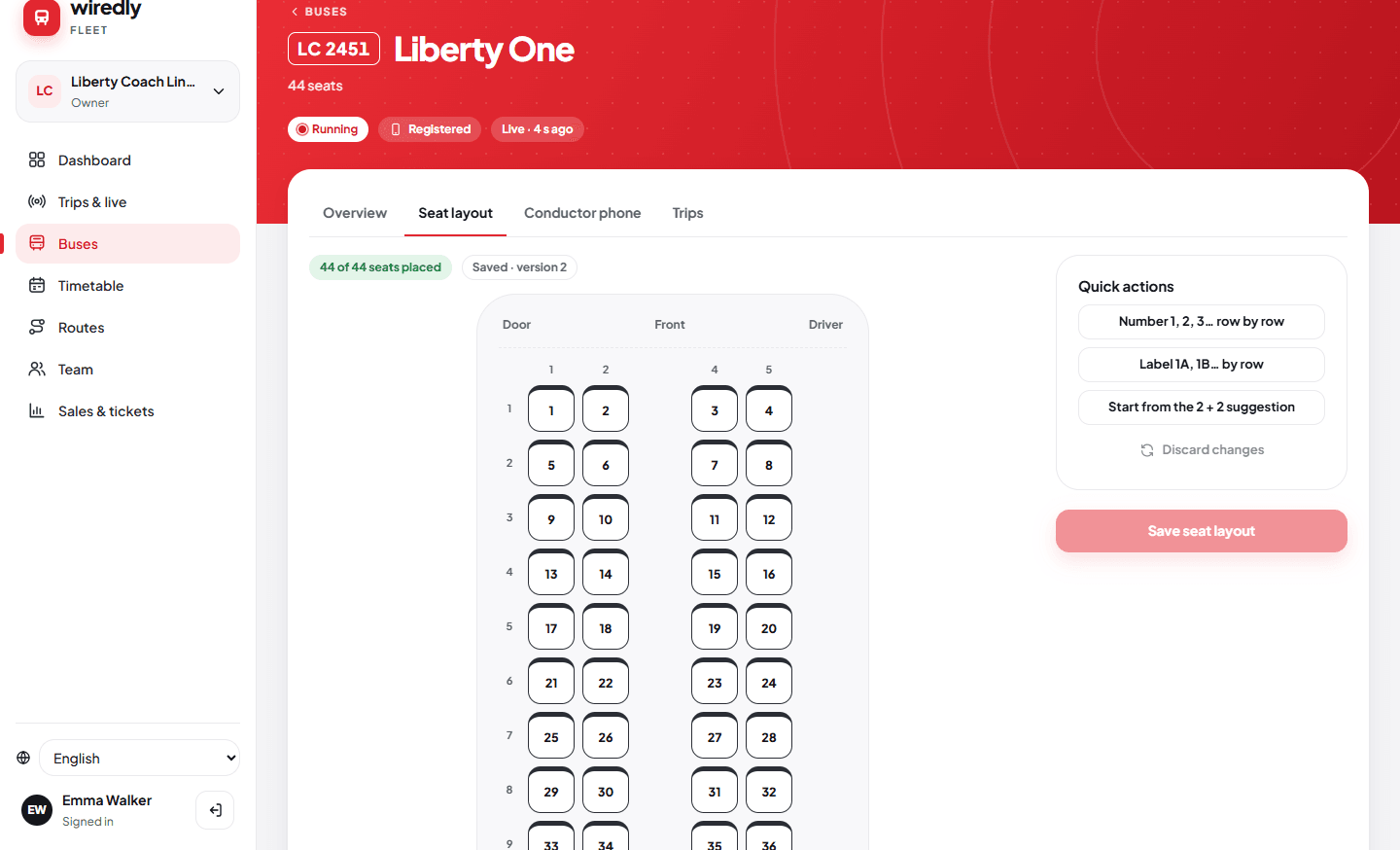
Passengers book seats in the Wiredly app and pay your crew on board. You decide which departures are shown to passengers.
- Draw each vehicle’s seat layout once; passengers pick from it.
- The database itself refuses a double booking, so the same seat can’t be sold twice.
- Seats are sold per part of the route, so a seat can be used again after a passenger gets off.
- Booking limits and a 10-minute hold keep seats from being blocked.
Crew app
Fast ticket checks, even with no signal.
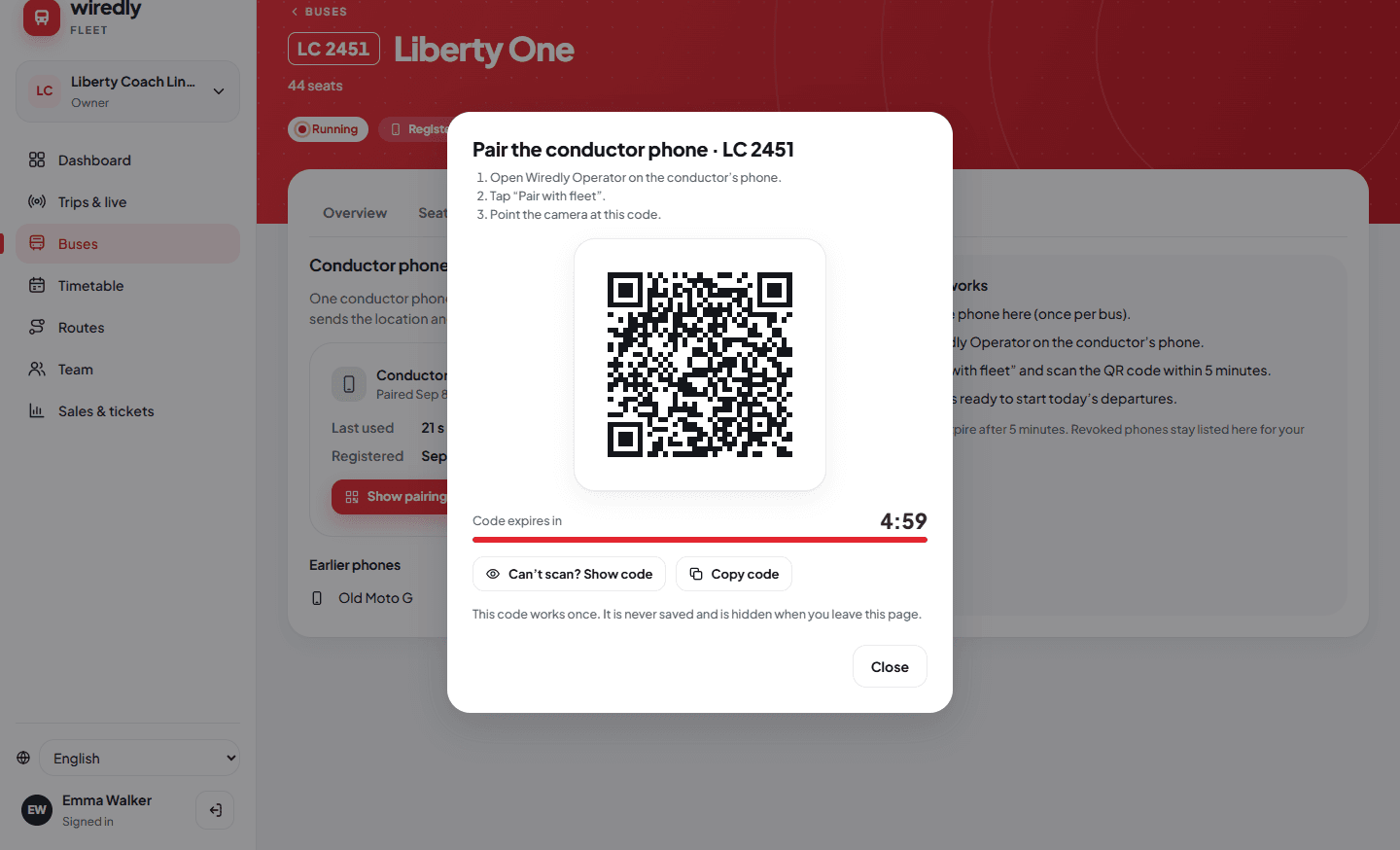
Wiredly Operator runs on the conductor’s or driver’s Android phone. One phone per vehicle, paired by the owner.
- Pair the phone by scanning a one-time QR code from the Fleet app. The code expires after 5 minutes.
- Start today’s departure from a clear list, with the number of advance bookings.
- Turn on journey tracking to share the vehicle’s position during the trip.
- Scan the passenger’s QR code or type the booking reference, collect the fare, board.
- No signal? Tickets are checked against an encrypted list on the phone and boardings sync later.
- Sell walk-up tickets for cash, seated or standing, with a receipt QR code. Works offline too.
- A fare summary for each trip: collected, still to collect and passengers boarded.
- Works without Google Play services.
Trips and team
See what’s running. Share the work.
- See which vehicles are running, when each was last seen and how fresh its signal is.
- You choose, trip by trip, whether passengers can follow the vehicle live.
- Invite managers or viewers with a one-time code you can send by any messaging app or SMS.
- Owners and managers can edit timetables; viewers only look.
- Register a crew phone for each vehicle and replace it if it is lost.
- Daily sales for each vehicle, advance and walk-up, with CSV export in the web portal.
Solutions
Built for the service you run.
Public buses and coaches
Timetables, fares, seat bookings paid on board and live buses for city, regional and intercity routes.
Learn moreSchool transport
Rosters, parent link codes and boarding marks, and a live school bus for parents.
Learn moreStaff shuttles
Shift routes, a roster on every shuttle and employees who follow their own commute.
Learn morePrivate hire and tours
The crew app, tour tickets, walk-up cash sales and live trips on hire and tour work.
Learn moreRoadmap
What’s coming for operators.
These are planned. They are not part of Wiredly today.
Live map on the web
Every running vehicle on a map in the Fleet web portal, included in paid plans with fair use.
Crew alerts to parents
Push alerts to parents when a child boards or gets off the school bus.
Parcels
Parcel pricing, receipts and handover on your vehicles.
Online payments
Passengers pay in the app; money settled to your account.
Printers and sensors
Receipt printers, passenger counters and fuel sensors.
School and staff transport
Rosters, parent link codes and boarding marks for school runs and staff shuttles.
Getting started
From first call to first passenger.
- 1
Talk to us
Tell us about your fleet, your routes and where you operate.
- 2
Get your fleet account
Sign up; Wiredly checks and approves new fleets.
- 3
Add buses and routes
Seat layouts, routes, timetable and fares.
- 4
Pair conductor phones
Install Wiredly Operator on crew phones and scan the pairing code.
- 5
Publish
Passengers find your departures and book seats.
List every bus free. Pay per live bus as you grow.
Your first live bus (a bus running with a Wiredly conductor phone) is free; after that, one yearly price per live bus, with no commission on tickets paid on board. Prices for public buses, private hire, staff shuttles, school transport and all of them together.
Questions
Operators ask.
How do I put my buses on Wiredly?
Talk to us, then sign up for a fleet account, which Wiredly checks and approves. Add your vehicles, routes and timetable, and publish. Step by step: how to set up your fleet.
Do my crews need a smartphone?
For ticket checks and live tracking, yes: an Android phone with Wiredly Operator, one phone per vehicle. Passengers can still find and book your published departures without it. See how to pair a conductor phone.
Does the crew app work without mobile signal?
Yes. Tickets are checked against an encrypted list on the phone, walk-up sales are saved on the phone, and everything syncs when the signal comes back.
Can I manage my fleet from a computer?
Yes. The Wiredly Fleet web portal works in the browser, alongside the Fleet phone app.
What does Wiredly cost an operator?
Pricing will be announced before launch. Listing your buses, routes and timetables will be free, a free start with one live bus (a bus running with a Wiredly conductor phone) is planned, and no commission on tickets paid on board is planned. See operator pricing.